

Managing Project and Member Privacy
Privacy in a Social System Map is a particular kind of trust. People aren’


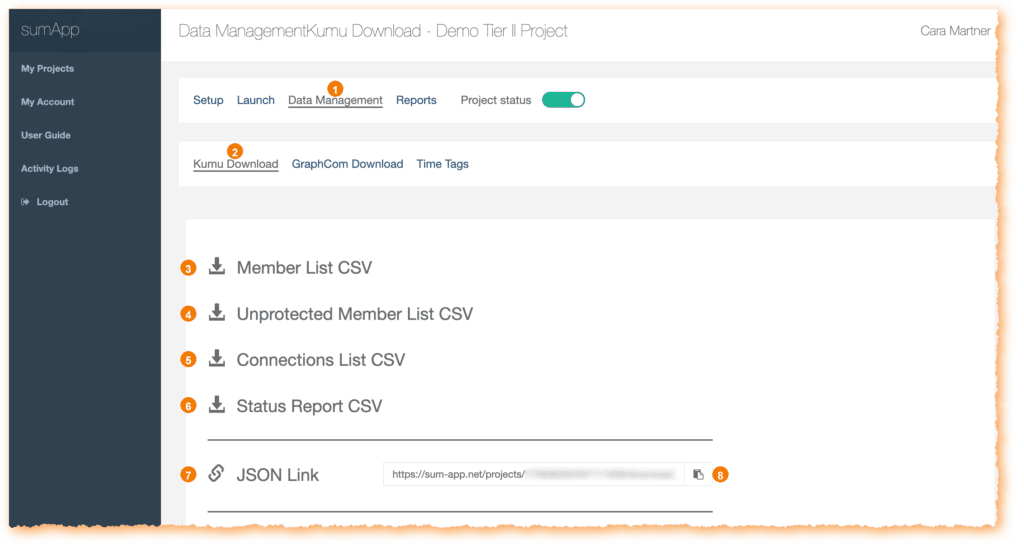
- Data Management opens the Data Management section of the project.
- Kumu Download indicates you are on the Kumu Download tab within Data Management.
- Member List CSV downloads the project member list as a CSV file. Use this for your records or if you need to use your member data in another way.
- Unprotected Member List CSV downloads the unprotected member list as a CSV file.
- Connections List CSV downloads the project connections list as a CSV file.
- Status Report CSV downloads the project status report as a CSV file.
- JSON Link displays the JSON link for the project data. JSONs are a specific format kumu reads. You put this link into kumu to see your member data visualized as a kumu map.
- Copy icon copies the JSON link shown in the field.
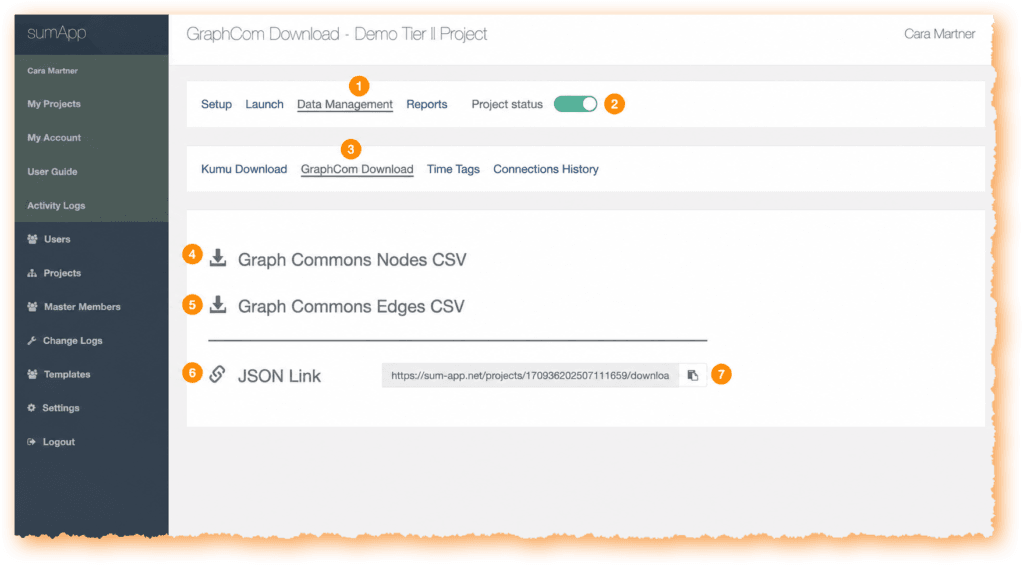
- Data Management opens the Data Management section of the project.
- Project status toggle shows the project status control in the project navigation.
- GraphCom Download opens the GraphCom Download page within Data Management.
- Graph Commons Nodes CSV downloads the Graph Commons nodes CSV file.
- Graph Commons Edges CSV downloads the Graph Commons edges CSV file.
- JSON Link displays the JSON link for the project data.
- Copy icon copies the JSON link shown in the field.
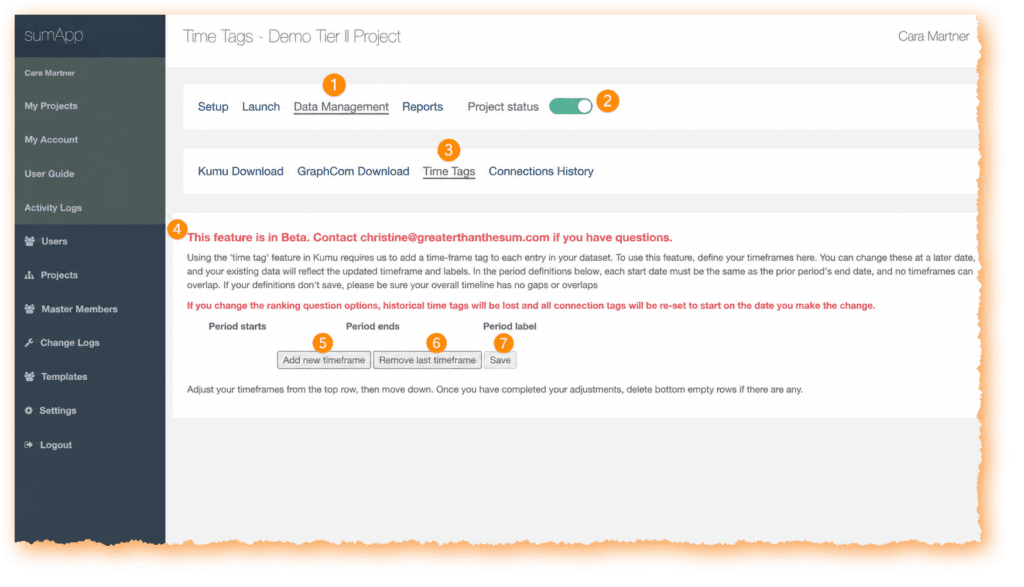
- Data Management opens the Data Management section of the project.
- Project status toggle shows the project status control in the project navigation.
- Time Tags opens the Time Tags page within Data Management.
- Beta notice identifies this feature as currently in Beta and provides a contact email for questions.
- Add new timeframe adds another timeframe row.
- Remove last timeframe removes the last timeframe row.
- Save saves changes to the timeframe settings.
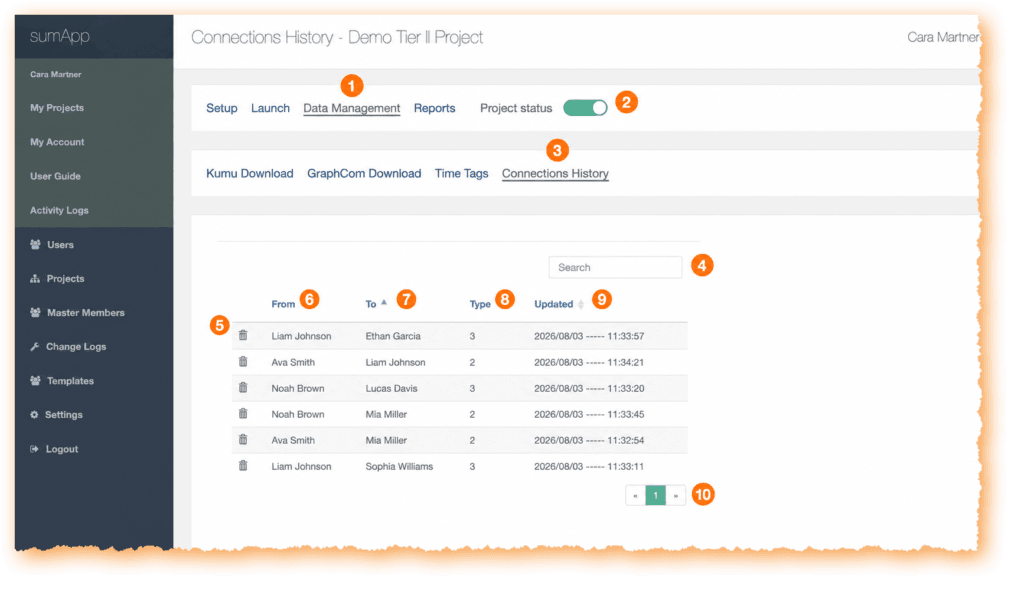
- Data Management opens the Data Management section of the project.
- Project status toggle shows the project status control in the project navigation.
- Connections History opens the Connections History page within Data Management.
- Search filters the connection history table.
- Trash icon deletes a connection history entry.
- From shows the member the connection begins from.
- To shows the member the connection points to.
- Type shows the connection type value.
- Updated shows the date and time the connection was updated.
- Pagination moves between pages of connection history results.